17
URL Encoder: Encode URLs Online for Safe Transmission
Encode URLs online to make special characters transmission-safe. Use this free URL Encoder to quickly encode links for web requests and development.
URL Encoder: Encode URLs Online for Safe Transmission
URLs often contain spaces, special characters, symbols, and other characters that may need to be represented in a format that web systems can process reliably.
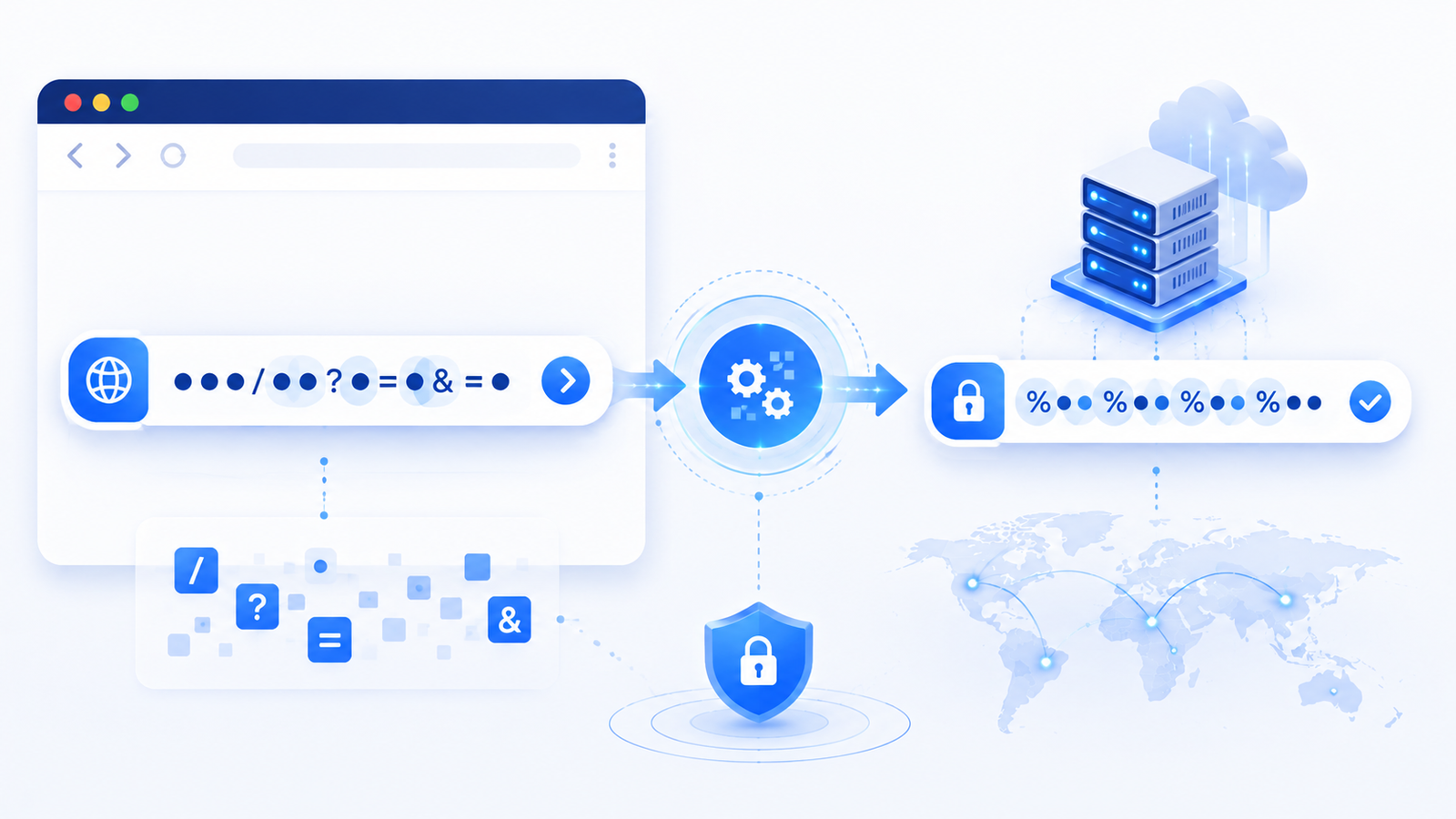
URL encoding converts certain characters into a standardized percent-encoded representation so they can be safely included in URLs and transmitted as part of web requests.
A URL Encoder makes this process simple. Instead of manually converting individual characters, you can use an online URL encoding tool to encode a complete URL or specific URL component.
This can be especially useful for developers, web designers, SEO professionals, marketers, and anyone working with links, query parameters, or web requests.
What Is URL Encoder?
A URL Encoder is an online utility that converts characters in a URL into their encoded representation.
URL encoding is commonly known as percent-encoding because encoded characters are represented using a % followed by hexadecimal values.
For example, a space can be represented as:
%20
A URL containing a space such as:
https://example.com/my page
can therefore be represented in encoded form as:
https://example.com/my%20page
URL encoding helps ensure that characters that have special meanings in URLs or aren't suitable for direct transmission are represented correctly.
What Is URL Encoding?
URL encoding is a process used to represent certain characters in a URL in a format that is safe and unambiguous for web systems.
URLs have a defined syntax. Characters such as ?, &, =, #, /, and % can have special meanings depending on where they appear.
Other characters may need encoding because they aren't suitable in their literal form.
Common examples include:
CharacterEncoded Form
Space | %20
# | %23
? | %3F
& | %26
= | %3D
% | %25
+ | %2B
The exact characters that should be encoded depend on their position and role within a URL.
Why Do URLs Need Encoding?
Web addresses are not simply arbitrary text strings.
They follow a structured syntax that allows browsers and servers to understand different components of a URL.
For example:
https://example.com/search?q=hello world
contains a space that should be encoded when represented as part of a URL.
The encoded version can be:
https://example.com/search?q=hello%20world
Encoding helps prevent special characters from being interpreted incorrectly and allows URL components to be transmitted consistently.
Key Features of a URL Encoder
Encode URLs Online
Convert URL characters directly from your browser without installing additional software.
Percent Encoding
Transform characters into their percent-encoded representation.
Special Character Encoding
Encode characters that may cause problems when used directly within URLs.
Query Parameter Encoding
Useful when preparing values that will be included as URL query parameters.
Developer-Friendly
Helpful for web developers working with APIs, HTTP requests, forms, and dynamic URLs.
Fast Processing
Encoding text is a lightweight operation and can be completed quickly.
Browser-Based
Use the utility directly from your browser on compatible devices.
Benefits of Using a URL Encoder
Prevent URL Formatting Problems
Special characters can sometimes change how a URL is interpreted.
Encoding the appropriate characters can help preserve the intended value.
Save Development Time
Manually converting characters into percent-encoded values is unnecessary when an automated tool can do it for you.
Useful for Query Parameters
Dynamic URLs often contain values that need encoding before being inserted into query parameters.
For example, a search value containing spaces or special characters may need to be encoded before being added to a URL.
Helpful for API Development
Developers frequently work with URLs when communicating with APIs.
Properly encoding URL components can help prevent malformed requests.
Reduce Human Error
Manually encoding multiple special characters can lead to mistakes. A dedicated encoder makes the process faster and more consistent.
How to Use URL Encoder
Using an online URL encoder is straightforward.
Step 1: Open the URL Encoder
Open the URL Encoder tool in your browser.
Step 2: Enter Your URL
Paste the URL or text that you want to encode into the input field.
Step 3: Start Encoding
Run the encoder.
The tool will convert applicable characters into their URL-encoded representation.
Step 4: Copy the Result
Review the encoded URL and copy it for use in your website, application, API request, or other project.
Real-World Use Cases
1. Web Development
Developers frequently construct URLs dynamically.
URL encoding is useful when inserting user-provided or dynamically generated values into URLs.
2. API Requests
APIs commonly use query parameters to send information.
Encoding parameter values correctly helps ensure that the server receives the intended data.
3. Search URLs
Search queries can contain spaces, symbols, and special characters.
Encoding those values allows them to be safely represented in URLs.
4. Form Data
Web forms may generate URLs containing user input.
Encoding values helps ensure that special characters don't interfere with the URL structure.
5. Marketing Campaigns
Marketers may create URLs containing tracking parameters.
Encoding parameter values can help preserve the intended structure of campaign URLs.
6. Dynamic Website Links
Web applications frequently create links based on database values, search terms, product names, or other dynamic information.
A URL encoder can help prepare those values for use in URLs.
7. Debugging Web Requests
Developers troubleshooting malformed URLs can use an encoder to verify how special characters should be represented.
URL Encoding vs. URL Decoding
URL encoding and URL decoding are opposite processes.
URL Encoding
Encoding converts characters into their percent-encoded representation.
For example:
hello world
becomes:
hello%20world
URL Decoding
Decoding converts encoded values back into their readable representation.
For example:
hello%20world
becomes:
hello world
If you work with URLs regularly, you may need both an encoder and a decoder.
URL Encoding vs. URL Encryption
These concepts are completely different.
URL Encoding
URL encoding changes the representation of characters so they can be safely represented within a URL.
It is not encryption.
Encoded information can generally be decoded easily.
Encryption
Encryption transforms information using cryptographic techniques to protect its contents from unauthorized access.
URL encoding should therefore never be used as a replacement for encryption or security mechanisms.
URL Encoding vs. URI Encoding
The terms URL encoding and URI encoding are often used interchangeably in everyday web development discussions.
More precisely, URI is the broader technical concept, while URL is one type of URI.
In practical web development, you'll frequently encounter percent-encoding when working with URLs and their components.
Common Characters That Need Encoding
Some characters commonly require encoding depending on their context.
Examples include:
- Spaces
- %
- #
- ?
- &
- =
- +
- Non-ASCII characters
For example, a space can be represented as %20.
A plus sign can be represented as %2B when it needs to be treated literally rather than as a separator or space representation in certain query-string conventions.
Context matters, so don't blindly encode every character in an entire URL.
Best Practices for URL Encoding
Encode URL Components When Appropriate
A common best practice is to encode individual dynamic values before inserting them into a URL rather than blindly encoding the entire URL.
Don't Double-Encode
Be careful not to encode an already encoded value again.
For example, encoding %20 again can produce %2520, changing the intended meaning.
Understand URL Structure
A URL contains multiple components, and different components have different encoding rules.
Be particularly careful with query parameters and their values.
Use Standard Encoding
Use standard percent-encoding rather than inventing your own replacement system.
Test Encoded URLs
After encoding a URL, verify that the resulting URL behaves as expected.
Don't Use Encoding as Security
Remember that URL encoding does not protect confidential information.
Use HTTPS and appropriate security mechanisms when sensitive data is involved.
Common URL Encoding Mistakes
Encoding the Entire URL Incorrectly
A common mistake is encoding characters that are structural parts of the URL.
For example, encoding the : and / separators of the URL scheme can change the URL into something that no longer behaves as intended.
Double Encoding
Encoding an already encoded value can produce unexpected results.
Confusing Encoding With Encryption
An encoded URL is not secret.
Anyone who understands percent-encoding can decode it.
Incorrect Query Parameter Handling
When constructing URLs programmatically, each parameter value should be handled correctly so that reserved characters don't accidentally become part of the URL structure.
Why Use Quick Web Tools?
Quick Web Tools provides simple browser-based utilities for common technical and everyday tasks.
The URL Encoder is designed to make URL encoding quick and convenient without requiring manual character conversion.
Free to Use
The tool provides a convenient way to encode URLs without requiring dedicated software.
No Registration
You can access the utility directly from your browser without creating an account.
Fast Processing
URL encoding is lightweight, so results can generally be generated quickly.
Browser-Based
No additional application is required for basic URL encoding.
Mobile Friendly
The tool can be useful on compatible phones, tablets, laptops, and desktop computers.
Simple
You can paste your URL, encode it, and copy the result without complicated configuration.
Frequently Asked Questions
What is URL encoding?
URL encoding is the process of representing certain characters in a URL using percent-encoded values so they can be safely and consistently represented.
How do I encode a URL?
You can use an online URL Encoder. Enter the URL or URL component you want to encode and run the tool to generate its encoded representation.
What is percent encoding?
Percent encoding is a method of representing characters using a % followed by hexadecimal digits. For example, a space can be represented as %20.
Why do URLs need encoding?
URLs have a defined syntax, and some characters have special meanings. Encoding helps represent certain characters without causing them to be interpreted incorrectly.
Is URL encoding the same as encryption?
No. URL encoding is not encryption. It changes how characters are represented but does not protect the information from being read.
What characters need URL encoding?
The characters that need encoding depend on their context within a URL. Spaces and certain reserved or non-ASCII characters commonly need encoding.
How do I encode URL parameters?
Encode the value of each parameter appropriately before inserting it into the URL. This helps ensure that special characters in the parameter value don't interfere with the URL structure.
What does %20 mean in a URL?
%20 is the percent-encoded representation of a space character.
What does %26 mean in a URL?
%26 represents the ampersand character (&) in percent-encoding.
Can I encode a URL online for free?
Yes. An online URL Encoder can convert URL text or components into an encoded representation directly in your browser.
Can URL encoding make a URL secure?
URL encoding can make certain characters safe to represent in a URL, but it does not make the information confidential or secure. It should not be confused with encryption.
What is double URL encoding?
Double URL encoding occurs when an already encoded value is encoded again. For example, %20 can become %2520. This can cause unexpected results if not handled correctly.
Conclusion
URL encoding is an important concept when working with websites, APIs, query parameters, forms, and dynamically generated links.
By converting appropriate characters into percent-encoded representations, URLs can represent special characters more reliably.
A URL Encoder makes this process easier by handling the character conversion for you. It can be useful for developers, marketers, website owners, and anyone who works with URLs regularly.
Remember that URL encoding is not encryption. It changes the representation of data but does not hide or protect its contents.
If you need to encode a URL or URL component, use the Quick Web Tools URL Encoder to quickly generate the encoded result.
Enter your URL, encode it, and get a transmission-ready URL in seconds.
Contact
Missing something?
Feel free to request missing tools or give some feedback using our contact form.
Contact Us